In industrial automation, electrical schematics, and technical documentation, proximity sensors are represented by standardized symbols and abbreviations. Understanding these notations is crucial for engineers, technicians, and anyone involved in system design, installation, or maintenance. This guide explains the common symbol abbreviations used for proximity sensors, their meanings, and practical applications.
Proximity sensors are non-contact devices that detect the presence or absence of an object within a specific range. They are widely used in manufacturing, automotive, robotics, and safety systems. On circuit diagrams and technical drawings, these sensors are denoted by specific graphical symbols accompanied by letter codes or abbreviations.
The most fundamental abbreviation is "PRX" or "PXS," often used as a general label for proximity sensors in parts lists or layout diagrams. However, in schematic symbols, the abbreviation is typically integrated into the sensor's graphical representation. The International Electrotechnical Commission (IEC) and the International Organization for Standardization (ISO) provide widely adopted standards. The basic graphical symbol for a generic proximity sensor is a diamond shape inside a square or circle, with two output lines. The abbreviation "B" for "switch" is sometimes incorporated, stemming from the German "Berührungsloser Schalter" (non-contact switch).
More specifically, abbreviations indicate the sensor's detection technology and output type. Key technology abbreviations include:
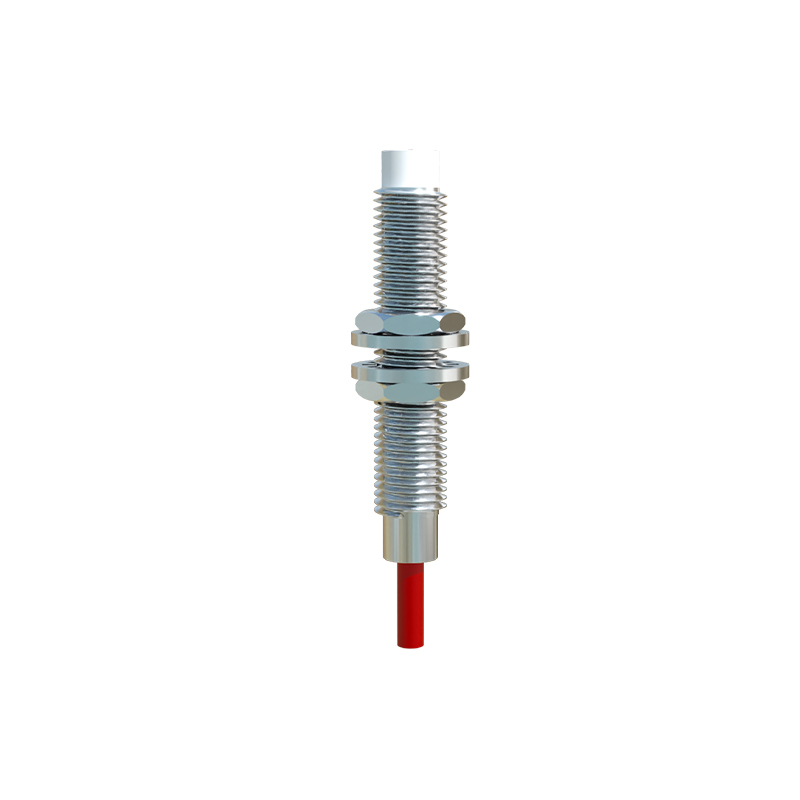
- IN: Inductive Proximity Sensor. Detects metallic objects. The abbreviation may be shown near the symbol or as a prefix (e.g., IN12).
- CAP or C: Capacitive Proximity Sensor. Detects both metallic and non-metallic materials like liquids, plastics, or wood.
- US or ULS: Ultrasonic Proximity Sensor. Uses sound waves for detection, often for longer ranges or level sensing.
- OP or OPT: Optical Proximity Sensor. Includes through-beam (TB), retro-reflective (RR), and diffuse (DF) types. Often uses the photoelectric symbol (a circle with two diagonal arrows) with these abbreviations.
- MAG: Magnetic Proximity Sensor (Reed Switch). Detects magnetic fields.
Output type abbreviations are equally critical for wiring and interface:
- NO: Normally Open output. The output circuit is open (off) when no target is detected and closes (on) when a target is present.
- NC: Normally Closed output. The output circuit is closed (on) when no target is detected and opens (off) when a target is present.
- PNP: Sourcing output. The sensor switches the positive voltage line to the load.
- NPN: Sinking output. The sensor switches the negative voltage (ground) line to the load.
- A: Analog output (e.g., 4-20mA, 0-10V). The abbreviation "AN" may also be used.
- IO-Link: Indicates a digital communication interface for smart sensors.
A complete symbol abbreviation on a schematic often combines these elements. For example, "IN-PNP-NO" describes an inductive proximity sensor with a PNP, normally open output. In a parts list, a code like "CAP30-NC" might denote a capacitive sensor with a 30mm sensing range and a normally closed output.
Wiring diagrams frequently use terminal markings that correspond to these functions. Common terminal abbreviations are:
- +V or L+: Positive supply voltage.
- 0V or L-: Negative supply voltage/ground.
- OUT or Q: Output signal wire.
- M or COM: Common wire for the output circuit.
Understanding these abbreviations prevents errors in system integration. For instance, connecting an NPN sensor to a PLC input card designed for PNP signals will result in malfunction. Similarly, confusing NO with NC can lead to unsafe machine logic.
In practice, always cross-reference the sensor's datasheet with the schematic symbols. Manufacturers may use slight variations, though core abbreviations remain consistent. Mastery of these symbolic abbreviations enhances reading fluency of technical documents, enables accurate troubleshooting, and ensures correct sensor selection for any application requiring reliable object detection without physical contact.