In today's tech-driven world, proximity sensors are ubiquitous silent operators. Found in smartphones, industrial machinery, automotive systems, and smart appliances, these components detect the presence or absence of nearby objects without physical contact. However, when a proximity sensor starts behaving erratically, it can lead to significant frustration and operational downtime. Understanding the root causes and effective troubleshooting steps is crucial for both everyday users and technical professionals.
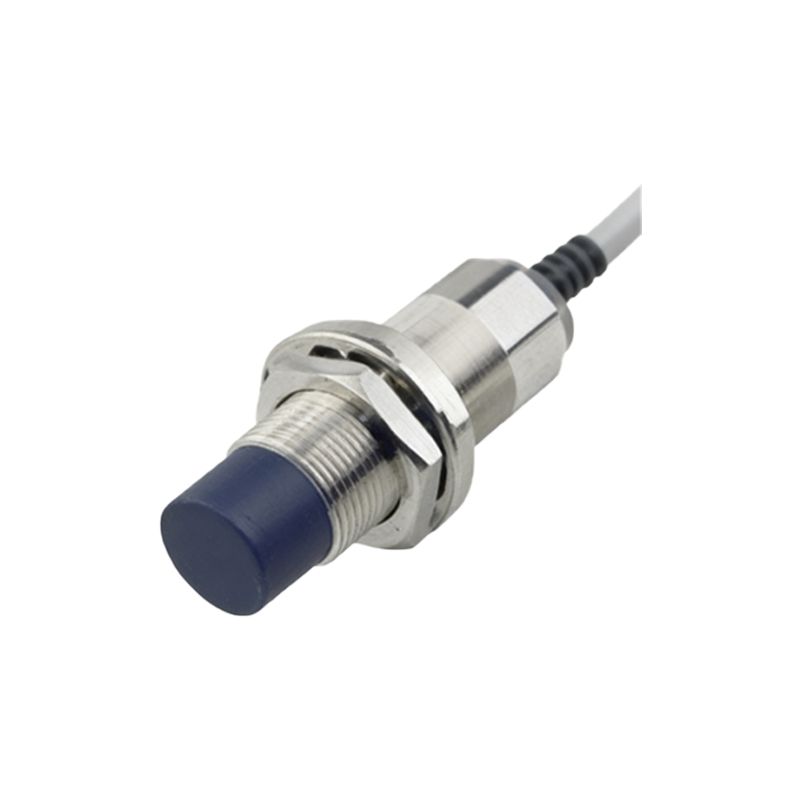
A proximity sensor functions by emitting an electromagnetic field or a beam of radiation, often infrared light, and then looking for changes in the field or the return signal. In a smartphone, this is what turns off the screen during a call to prevent accidental touches. In a factory, it might ensure a robotic arm stops before colliding with an object. The failure of this seemingly simple task can manifest in various ways: a phone screen that won't turn on or off during calls, false triggering in an automated system, or a complete lack of detection.
The causes of these malfunctions are diverse and can be categorized into hardware, software, and environmental factors.
Hardware Issues are often the primary suspect. Physical damage is a common culprit. A cracked screen protector, especially a thick or low-quality one, can interfere with the infrared beam on a smartphone. Similarly, accumulated dirt, dust, or grease directly over the sensor's lens can block or scatter its signal. In industrial settings, physical impact, vibration, or misalignment can damage the sensor's internal components or its mounting. Over time, the sensor itself can simply wear out or fail due to manufacturing defects.
Software and Calibration Problems are equally prevalent. An operating system update can sometimes introduce bugs that disrupt how the device's software interprets the sensor's data. Corrupted firmware within the sensor or the main controller can lead to erratic behavior. Furthermore, sensors often require precise calibration. If this calibration data is lost or becomes corrupted—perhaps after a device reset or a software crash—the sensor may trigger at the wrong distances or not at all.
Environmental Interference is a frequently overlooked cause. Strong ambient light, particularly direct sunlight containing infrared radiation, can flood the sensor and cause false readings. Other sources of electromagnetic interference (EMI), such as those from heavy motors, radio transmitters, or even other sensors operating on similar frequencies, can disrupt the sensor's field. Extreme temperatures can also affect the performance of electronic components within the sensor.
Addressing a malfunctioning proximity sensor involves a methodical approach. Start with the simplest solutions. For personal devices like smartphones, power the device off completely and restart it. This can clear temporary software glitches. Carefully inspect the area around the sensor (usually near the earpiece) and clean it gently with a soft, dry, lint-free cloth. Remove any screen protector or case to test if they are causing interference.
If basic steps fail, delve into software checks. Look for any pending system updates and install them, as they may contain fixes. Check for app-specific issues; a problematic phone dialer app could be at fault. Try booting the device in safe mode (if available) to see if a third-party app is causing the conflict. For industrial sensors, consult the manual to perform a reset or recalibration procedure. Many devices have built-in diagnostic tools or secret codes (like#0# on some Samsung phones) to test sensor functionality.
When hardware is suspected, the path becomes more technical. For consumers, this typically means a visit to an authorized repair center, especially if the device is under warranty. Technicians can use specialized equipment to diagnose whether the sensor itself is dead or if there's an issue with the connecting flex cable or motherboard. In industrial contexts, maintenance personnel might swap the sensor with a known-good unit to confirm the failure, check wiring integrity, and verify power supply stability.
Preventive measures can mitigate many issues. Using high-quality, sensor-friendly screen protectors, keeping devices clean and away from excessive dust and moisture, and avoiding environments with extreme EMI can prolong sensor life. For critical industrial applications, implementing regular maintenance schedules that include sensor cleaning, inspection, and functional testing is essential.
In conclusion, a malfunctioning proximity sensor is a solvable problem. The key is a logical diagnostic process: rule out simple environmental and software causes before assuming hardware failure. Whether it's a smartphone that keeps blanking your screen or a production line that halts unexpectedly, understanding these principles empowers you to restore functionality efficiently, minimizing disruption in our increasingly automated daily lives.