A laser sensor is a critical component in many industrial and automation applications, providing precise distance measurement, object detection, and positioning. However, encountering a low output voltage from a laser sensor can disrupt operations, leading to inaccurate readings or system failures. Understanding the root causes and implementing effective solutions is essential for maintaining optimal performance.
One of the primary reasons for low output voltage is insufficient power supply. Laser sensors require a stable and adequate voltage input, typically within a specified range (e.g., 12-24 VDC). If the power source is weak, unstable, or below the sensor's minimum requirement, the output signal may drop. To address this, verify the power supply voltage with a multimeter. Ensure it matches the sensor's specifications and check for voltage drops along the wiring due to long cables or poor connections. Using a regulated power supply and minimizing cable length can help stabilize the input.
Environmental factors also play a significant role. Excessive ambient light, especially from sources like sunlight or high-intensity lamps, can interfere with the laser beam, causing the sensor to misinterpret signals and output a lower voltage. Similarly, dust, dirt, or moisture on the sensor lens can attenuate the laser, reducing its effective range and signal strength. Regular cleaning of the lens with a soft, lint-free cloth and installing the sensor in a controlled environment—such as using shields or enclosures—can mitigate these issues. Additionally, operating the sensor outside its rated temperature range may affect internal electronics, leading to voltage drops. Always adhere to the manufacturer's environmental guidelines.
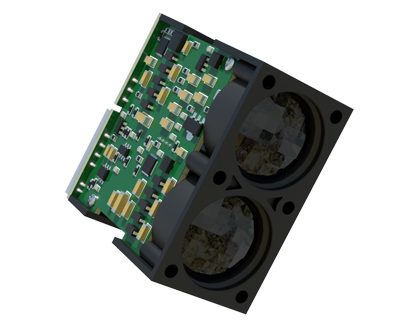
Sensor misalignment is another common culprit. If the laser beam is not properly aligned with the target, the reflected signal may be weak, resulting in a low output. This often occurs due to vibration, mechanical shifts, or improper installation. Realign the sensor carefully, ensuring the beam is perpendicular to the target surface. For moving targets, consider using sensors with wider beam angles or adjustable mounting brackets. In applications involving reflective surfaces, angle adjustments might be necessary to avoid specular reflection, which can scatter the laser light.
Internal component degradation can lead to voltage issues over time. Laser diodes, photodetectors, or circuitry within the sensor may wear out, especially in high-duty-cycle operations or harsh conditions. Aging components often exhibit reduced efficiency, manifesting as a gradual decline in output voltage. If the sensor is old or heavily used, inspect it for signs of damage or wear. In many cases, replacing the sensor or its internal parts is the most reliable solution. Preventive maintenance, such as periodic calibration and testing, can help identify degradation early.
Electrical problems in the signal chain should not be overlooked. Faulty wiring, loose connectors, or corrosion can introduce resistance, reducing the voltage reaching the control system. Check all connections for tightness and cleanliness. Use shielded cables to prevent electromagnetic interference (EMI) from nearby motors or power lines, which can distort the output signal. Additionally, ensure the load impedance (e.g., PLC input) is compatible with the sensor's output specifications. An mismatched load can cause voltage division, lowering the effective output. Refer to the sensor datasheet for correct wiring diagrams and load requirements.
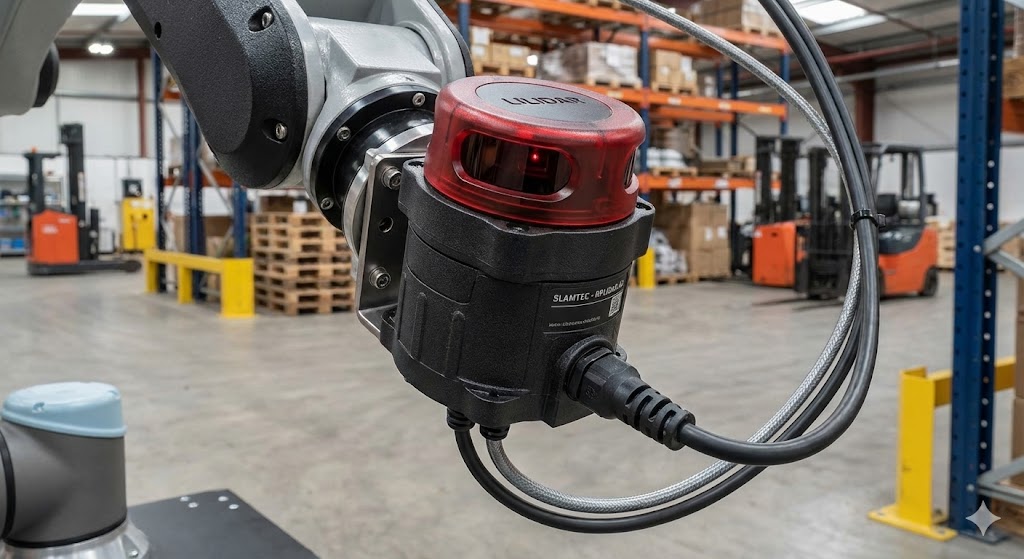
Configuration errors might also cause low output voltage. Many laser sensors offer adjustable settings for sensitivity, response time, or output mode (e.g., analog vs. digital). Incorrect configuration can lead to suboptimal performance. For instance, if the sensitivity is set too low, the sensor may not detect weak reflections properly. Review the user manual and reset parameters to factory defaults if needed, then reconfigure according to the application. Some sensors feature self-diagnostic functions or indicator lights that can help identify configuration issues.
In summary, troubleshooting a laser sensor with low output voltage involves a systematic approach. Start by checking the power supply and environmental conditions, then proceed to alignment and physical inspection. Evaluate electrical connections and load compatibility, and verify configuration settings. Documenting maintenance activities and keeping spare sensors on hand can minimize downtime. By addressing these factors proactively, users can ensure their laser sensors deliver reliable, accurate voltage outputs, supporting efficient and safe operations in diverse settings.
