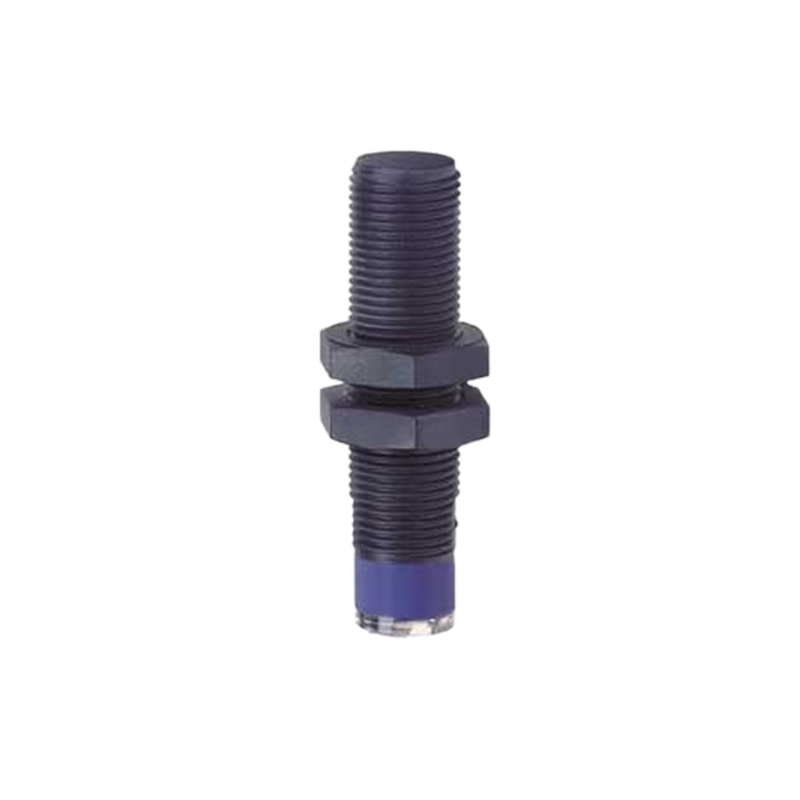
Proximity sensors are critical components in industrial automation, providing non-contact detection of metallic or non-metallic objects. Proper sensitivity adjustment ensures reliable operation, minimizes false triggers, and extends sensor lifespan. This guide outlines key principles and step-by-step procedures for optimizing proximity sensor performance.
Understanding Sensitivity Parameters
Sensitivity in proximity sensors refers to the detection distance at which the sensor reliably activates. Factors influencing sensitivity include target material, size, shape, and environmental conditions. Ferrous metals typically yield longer detection ranges than non-ferrous materials. Always consult the sensor datasheet for nominal sensing distances and adjustment ranges.
Preparation and Safety
Before adjustment, ensure the system is in a safe state with machinery locked out. Verify power supply stability, as voltage fluctuations can affect sensitivity. Clean the sensor face to remove dust, oil, or debris that may interfere with detection. Use a representative target object matching the actual application’s material and dimensions.
Step-by-Step Adjustment Procedure
1. Initial Setup: Mount the sensor securely, aligning it perpendicular to the target’s approach path. Set any built-in potentiometers or DIP switches to mid-range positions unless otherwise specified.
2. Distance Calibration: Gradually move the target toward the sensor until the detection indicator (usually an LED) activates. Mark this point as the effective sensing distance.
3. Fine-Tuning: Adjust the sensitivity control clockwise to increase range or counterclockwise to decrease it. Aim for a detection margin of 10-20% beyond the actual working distance to account for mechanical tolerances.
4. Hysteresis Testing: Check both approach and retreat points to ensure consistent switching without chattering. Excessive sensitivity may cause instability when the target is near the threshold.
5. Environmental Validation: Test under real operating conditions, considering temperature shifts, vibration, and electromagnetic interference.
Common Challenges and Solutions
- Over-Sensitivity: Leads to false triggers from nearby objects or background interference. Reduce sensitivity incrementally until only the intended target activates the sensor.
- Under-Sensitivity: Causes missed detections, especially with small or slow-moving targets. Increase sensitivity while monitoring for false activation.
- Inconsistent Performance: May stem from power supply noise or incompatible target materials. Use shielded cables, stable power sources, and consider material-specific sensor models.
Advanced Techniques
For programmable sensors, utilize teach-in functions or software interfaces to set precise thresholds. Analog sensors allow continuous output adjustment for position monitoring applications. In high-noise environments, implement frequency modulation or synchronous sampling to reject interference.
Maintenance and Verification
Regularly recalibrate sensors during preventive maintenance cycles. Document sensitivity settings for quick restoration after replacements. Use calibration jigs for repeatable testing in critical applications.
Conclusion
Effective sensitivity adjustment balances detection reliability with operational stability. By following systematic procedures and understanding sensor characteristics, engineers can optimize performance across diverse industrial scenarios. Always prioritize safety and validate adjustments under actual working conditions.