As an experienced electrical engineer, I often encounter questions from colleagues and clients about how to interpret proximity sensor model numbers. Understanding these alphanumeric codes is crucial for selecting the right sensor for industrial automation, machinery safety, or process control applications. This guide will break down the common conventions used by major manufacturers and explain how to decode the specifications embedded in model numbers.
Proximity sensor model numbers typically follow a structured format that conveys key technical parameters. While formats vary by brand, most include information about sensing technology, physical size, sensing distance, output type, electrical characteristics, and housing material. For instance, a model number like "PR18-8DP" might indicate a cylindrical sensor (PR) with an 18mm diameter, 8mm sensing range, and a DC PNP output. Learning to parse these details ensures compatibility with your control system and operational environment.
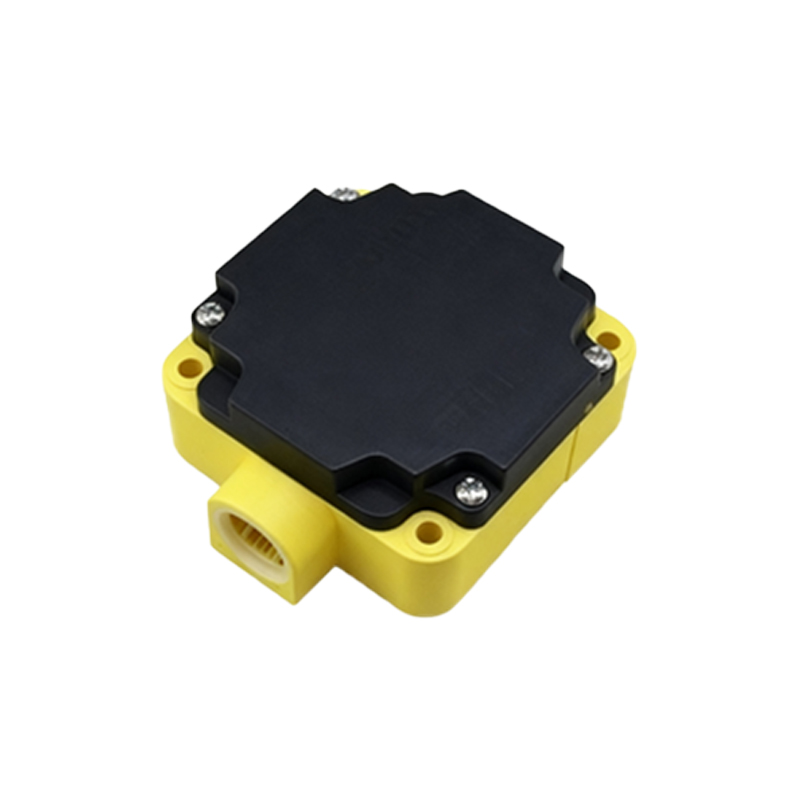
First, identify the sensor family or series prefix. Manufacturers often use prefixes such as "E2E" (Omron), "BI" (Sick), or "XS" (Schneider) to denote product lines. This prefix hints at the underlying technology—inductive, capacitive, ultrasonic, or magnetic. Inductive sensors, common in metal detection, may include codes like "I" or "IN," while capacitive sensors (for non-metallic materials) might use "C" or "CA." For example, an "E2E-X" series from Omron specifically refers to inductive proximity sensors.
Next, examine the numbers that follow the prefix. These usually specify physical dimensions. A two- or three-digit number like "18" or "030" often corresponds to the sensor's diameter or housing size in millimeters. In cylindrical sensors, this is critical for mounting hole compatibility. Some models incorporate sensing range into this segment, such as "8" for 8mm range, though it may appear later in the code. Always cross-reference the datasheet, as conventions differ—a "PR18-8DP" sensor’s "18" clearly denotes diameter, while an "E2E-X18MY1" uses "18" to indicate both diameter and 8mm range.
The suffix or ending characters are equally important. They describe electrical outputs and connection types. Common codes include "N" for NPN output, "P" for PNP, "A" for analog output, and "D" for digital switching. Additional letters might specify connector styles (e.g., "M12" for quick-disconnect) or housing materials like stainless steel ("SS") or nickel-plated brass. For instance, a suffix like "DP" could mean DC PNP output, while "NO" might indicate normally open contacts. Voltage ratings (e.g., 10-30V DC) are sometimes implied here but verified in documentation.
Environmental ratings and special features may also be embedded. Look for codes like "IP67" (ingress protection against dust and water) or "TE" (temperature-resistant). In hazardous areas, certifications like "ATEX" or "UL" might appear. Some manufacturers add performance codes: "H" for high-temperature tolerance, "F" for flush-mountable, or "S" for shielded designs that allow side-by-side installation. For example, a model ending in "IP69K" suits washdown environments, while "E2E-X10ME1-Z" includes "Z" for short-circuit protection.
To master model number interpretation, always consult the manufacturer’s datasheet or catalog. Brands like Pepperl+Fuchs, Balluff, and Allen-Bradley provide decoding charts that map each character to a feature. Practice by analyzing real-world examples: Compare "BI5-M18-AP6X" (Sick) with "XS630B1PAL2" (Schneider). The former breaks down as "BI5" series, M18 threaded barrel, AP6X output; the latter indicates "XS" series, 30mm housing, PNP output. This skill streamlines procurement, reduces installation errors, and optimizes system performance.
In summary, reading proximity sensor model numbers involves dissecting prefixes, dimensions, electrical codes, and suffixes. By understanding these patterns, engineers can quickly identify sensor capabilities—from sensing range and output type to environmental durability. Always verify with technical documents, as even minor variations impact functionality. With this knowledge, you’ll confidently select sensors that meet precise application demands, enhancing reliability in automation projects.