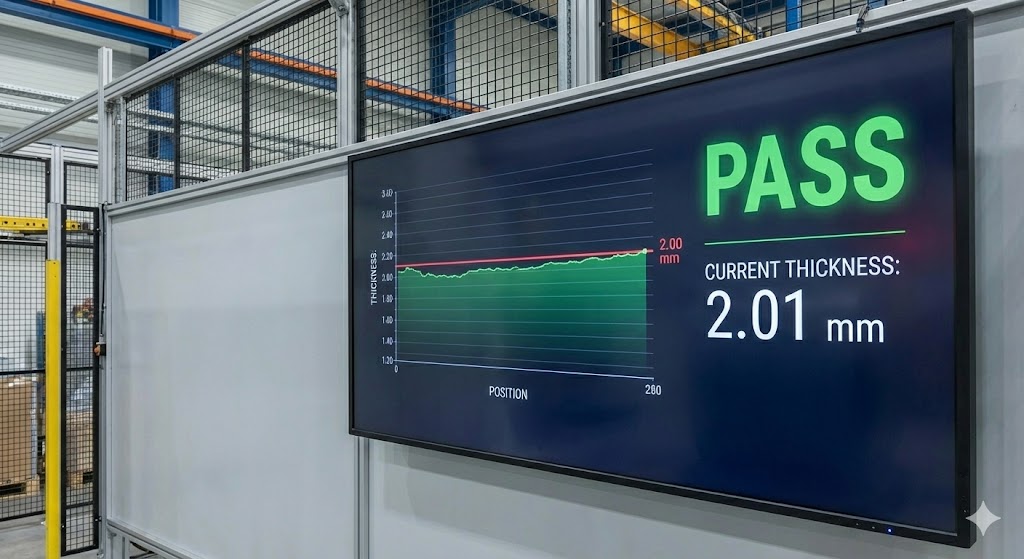
In modern industrial automation and precision measurement, laser displacement sensors are indispensable tools. They provide non-contact, high-accuracy measurements for tasks ranging from thickness gauging and vibration analysis to profile detection and position control. However, like any sophisticated electronic instrument, these sensors may occasionally require a reset procedure to restore optimal functionality. This guide details the rationale, methods, and best practices for resetting laser displacement sensors, ensuring minimal downtime and sustained measurement integrity.
Understanding the Need for a Reset
A reset is typically not part of routine maintenance but a corrective action. Several scenarios may necessitate resetting a laser displacement sensor:
1. Software Glitches or Firmware Hangs: The sensor's internal processor may encounter an unexpected error, causing unresponsive behavior or incorrect output.
2. Communication Failures: Issues with serial communication (RS-232, RS-485) or network protocols (Ethernet/IP, PROFINET) can sometimes be resolved by resetting the sensor's communication interface.
3. Parameter Corruption: Incorrect or corrupted user-configured parameters (e.g., measurement range, output scaling, filtering) can lead to erratic performance. A reset can restore factory defaults or clear erroneous settings.
4. Post-Maintenance or Configuration Changes: After significant electrical work on the connected system or major reconfiguration, a reset ensures the sensor initializes cleanly with the new environment.

5. Environmental Stress: Exposure to extreme electrical noise (EMI/RFI) or voltage transients can disrupt the sensor's normal operation.
Pre-Reset Checklist: Safety and Preparation
Before initiating any reset, adhere to these critical steps:
* Consult the Manual: Always refer to the manufacturer's specific user manual or technical documentation. Procedures can vary significantly between models from Keyence, Omron, Panasonic, Micro-Epsilon, or other brands.
* Power Down Safely: If the procedure involves cycling power, follow proper lock-out/tag-out (LOTO) protocols for your facility. Ensure the entire system is safe to power down.
* Document Settings: Record all current user parameters, calibration data, and communication settings. A reset to factory defaults will erase these.
* Inspect Connections: Check power, output, and communication cables for integrity and secure connections. Often, perceived sensor faults are due to wiring issues.
Common Reset Methodologies
Reset procedures generally fall into three categories, listed in increasing order of comprehensiveness:
1. Soft Reset (Software/Communication Reset):
This is the least intrusive method, often performed via the sensor's teach-in button, digital input, or configuration software. It restarts the sensor's application software without affecting stored parameters. For sensors with a digital input (DI), a configured reset function can be triggered by the PLC. Using dedicated software (e.g., Keyence's LK-Navigator), a soft reset command can be sent via the communication port. This is the first step to try for minor lock-ups.
2. Power Cycle Reset:
A complete power-down and restart. Disconnect the sensor's power supply (typically 12-24V DC) for a minimum of 30 seconds to allow internal capacitors to discharge fully. This clears the volatile memory and reboots the system. Reapply power and monitor the initialization sequence, often indicated by LED status lights. This resolves many transient issues.
3. Factory Default Reset (Hard Reset):
This procedure restores all parameters to their original factory settings, erasing all user configurations. It is a last resort when other methods fail or when parameters are severely corrupted. Methods vary: holding a specific button combination during power-up, using a dedicated factory reset terminal, or executing a command via configuration software. Warning: This will require full reconfiguration and potentially recalibration of the sensor.
Post-Reset Procedures and Verification
After performing a reset, systematic verification is crucial:
* Reconfigure Parameters: If a factory reset was performed, meticulously re-enter all documented parameters.
* Verify Calibration: Check the sensor's calibration against a known reference or master workpiece. Re-calibrate if necessary using the prescribed method (e.g., two-point teach).
* Test Functionality: Conduct tests across the expected measurement range. Verify the stability, accuracy, and response of the output signal (analog voltage/current or digital data).
* Integrate with System: Re-integrate the sensor with the PLC, controller, or HMI and ensure communication and control loops are functioning correctly.
* Monitor Performance: Observe the sensor's operation over an initial period to confirm the issue is resolved.
Proactive Measures to Minimize Resets
To reduce the frequency of required resets, implement these practices:
* Use Stable, Clean Power Supplies: Employ regulated power sources with protection against surges and noise.
* Implement Proper Shielding and Grounding: Follow EMC guidelines for cable routing and grounding to minimize electrical interference.
* Maintain Stable Operating Conditions: Protect sensors from excessive ambient light, dust, moisture, and temperature extremes as per their IP and environmental ratings.
* Keep Firmware Updated: When available, install manufacturer-recommended firmware updates that may include stability improvements.
* Schedule Preventive Maintenance: Include sensor inspection and performance validation in regular maintenance schedules.
In conclusion, resetting a laser displacement sensor is a powerful troubleshooting tool when applied judiciously. By understanding the underlying reasons, meticulously following the correct procedure for your specific model, and thoroughly verifying performance afterward, engineers and technicians can quickly restore critical measurement processes. Always prioritize the manufacturer's instructions and integrate reset protocols within a broader framework of proactive system maintenance and electrical best practices to ensure long-term, reliable sensor operation.