Laser sensors are critical components in modern industrial automation, offering high precision for distance measurement, object detection, and positioning. However, like any sophisticated electronic device, they may occasionally require resetting due to calibration drift, communication errors, or environmental interference. Proper reset procedures ensure optimal performance and longevity. This guide outlines systematic methods to reset laser sensors, tailored for engineers and technicians in the electrical and automation fields.
First, understand the reset types: soft reset and hard reset. A soft reset involves restarting the sensor via software or a control interface without disconnecting power. This is often the initial step, as it clears temporary glitches. Access the sensor's configuration software or HMI (Human-Machine Interface), navigate to the reset option, and execute. For sensors with digital interfaces like IO-Link or Ethernet/IP, use the manufacturer's software to send a reset command. Ensure the sensor is in a safe state, as resetting during operation may disrupt processes.
A hard reset, or factory reset, restores the sensor to its original settings, erasing all custom configurations. This is necessary when persistent errors occur or after firmware updates. Typically, press and hold a physical reset button on the sensor for 5-10 seconds until an indicator LED blinks. Refer to the datasheet for exact timing, as it varies by model. Alternatively, use a combination of input signals, such as applying a specific voltage to a designated pin. Caution: backup configuration data before a hard reset to avoid reconfiguration hassles.
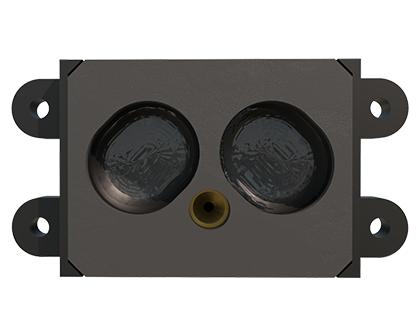
Environmental factors can trigger resets. Check for issues like excessive vibration, temperature extremes, or optical interference from dust or ambient light. Clean the lens with a soft, lint-free cloth and ensure stable power supply voltages within the sensor's rated range (e.g., 10-30 VDC). Power cycling—turning off the sensor for 30 seconds and restarting—can resolve electrical noise problems. For networked sensors, reset the entire system by rebooting controllers or PLCs, as communication protocols may need reinitialization.
Advanced reset techniques involve firmware recovery. If a sensor fails due to corrupted firmware, use a bootloader mode via a USB or serial connection to reflash the software. Download the latest firmware from the manufacturer's website and follow step-by-step instructions. This requires technical expertise, as incorrect procedures can brick the device. Always use ESD (Electrostatic Discharge) protection when handling sensors to prevent static damage.

Post-reset, recalibrate the sensor to maintain accuracy. Perform a teach-in or calibration routine using a reference target at a known distance. Verify output signals with a multimeter or oscilloscope, and test in the actual application environment. Document the reset process and outcomes for future troubleshooting. Regular maintenance, including periodic resets as part of preventive schedules, can reduce unexpected downtime.
In summary, resetting laser sensors is a blend of technical knowledge and practical steps. Start with soft resets, escalate to hard resets if needed, and address root causes like environmental issues. Always prioritize safety and consult manufacturer guidelines. With these methods, engineers can ensure reliable sensor operation, enhancing system efficiency in automation, robotics, and quality control applications.