As an experienced electrical engineer specializing in industrial automation, I often encounter questions regarding the fine-tuning of proximity sensors. These critical components are ubiquitous in manufacturing, robotics, and safety systems, detecting the presence or absence of an object without physical contact. Their reliable operation hinges on one key parameter: sensitivity. Proper sensitivity adjustment is not merely a technical step; it is the cornerstone of system stability, preventing false triggers and missed detections that can lead to downtime or safety hazards. This guide provides a professional, step-by-step methodology for adjusting the sensitivity of inductive, capacitive, and ultrasonic proximity sensors.
The first and most crucial step is understanding the sensor's datasheet and inherent characteristics. Sensitivity, often defined as the sensing distance (Sn) under standardized conditions, is influenced by the target material, size, and environmental factors. For inductive sensors, ferrous metals are detected at the nominal sensing distance, while non-ferrous metals like aluminum or copper reduce the effective range. Capacitive sensors react to a wider variety of materials, including liquids and plastics, making their sensitivity adjustment more nuanced due to potential interference from humidity or contaminants. Always consult the manufacturer's specifications for the correct target material and standard sensing distance before any adjustment.
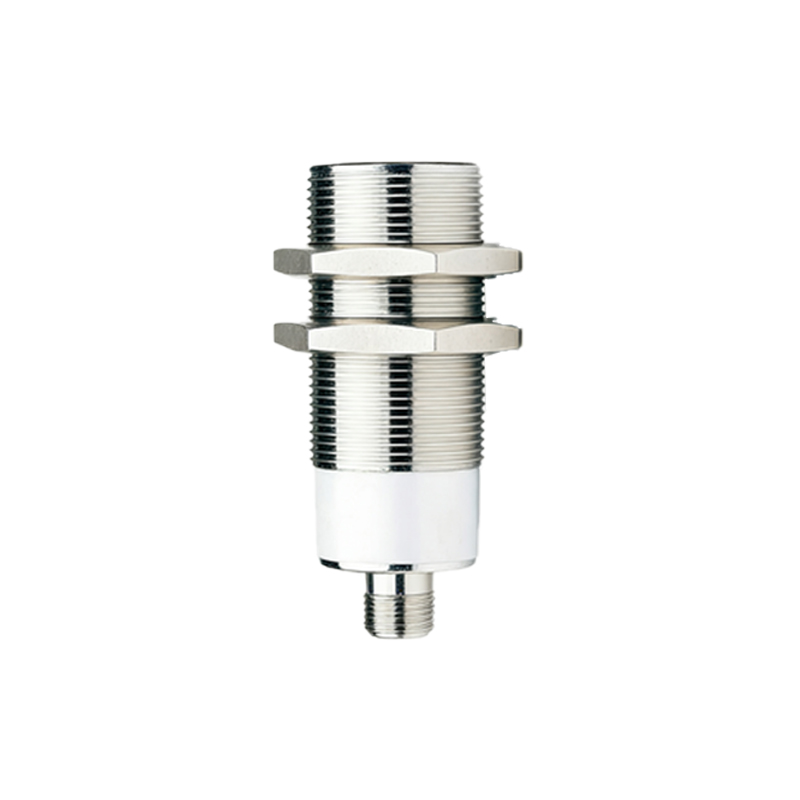
The adjustment procedure typically involves a potentiometer, a teach-in button, or software via an IO-Link interface. For sensors with a potentiometer, the process requires a systematic approach. Begin by powering down the system for safety. Install the sensor at its operational mounting position. Introduce the standard target at the desired detection point. Power the system on. Using a non-metallic adjustment tool, slowly rotate the potentiometer. The standard practice is to rotate clockwise to increase sensitivity (increase sensing distance) and counter-clockwise to decrease it. The goal is to find the threshold point. Adjust the sensitivity until the sensor's output indicator (usually an LED) just activates upon the target's presence. Then, continue increasing the sensitivity slightly beyond this point (by approximately 10-15%), and then carefully decrease it back to the activation threshold. This "overshoot and return" method ensures a stable operating point in the middle of the hysteresis range, providing immunity to minor fluctuations in voltage, temperature, or target positioning.
For applications with varying targets or harsh environments, additional validation is mandatory. After setting the sensitivity with the standard target, test with the actual target material under real operating conditions. Move the target towards the sensor at the expected approach speed to check for consistent detection. It is vital to check for both false positives and false negatives. Environmental factors like temperature drift, electrical noise from nearby motors or VFDs, and the presence of adjacent metal (for inductive sensors) can affect performance. Shielded sensors are less susceptible to lateral metal interference but may have a reduced sensing range. Always ensure that the sensor is not detecting background objects or the mounting bracket itself. For capacitive sensors, adjust the sensitivity to ignore the container wall while reliably detecting the material level inside.
Finally, document the settings and perform a long-term stability test. For potentiometer-based sensors, consider applying a thread-locking adhesive to prevent accidental movement due to vibration. For smart sensors with digital interfaces, save the parameter set. Regular maintenance checks should include verifying the sensitivity setting, as mechanical wear, buildup of debris, or component aging can cause drift over time. A well-adjusted proximity sensor operates reliably, extends equipment life, and forms the foundation of a robust and efficient automated system. Remember, the optimal sensitivity is the lowest level that guarantees consistent detection of all valid targets while definitively rejecting all non-targets and environmental noise.