Proximity sensors are fundamental components in modern industrial automation, providing non-contact detection of metallic or, in some cases, non-metallic objects. Their reliability is critical for process control, safety interlocks, and machinery sequencing. However, a common and disruptive issue encountered by maintenance engineers and technicians is the sensor's failure to actuate—that is, it does not change its output state when a target enters its sensing range. This failure can lead to production stoppages, quality defects, or even safety hazards. This article delves into the root causes, systematic diagnostic procedures, and effective solutions for proximity sensor non-actuation, presented from a practical engineering perspective.
The initial step in troubleshooting is to confirm the failure mode. Is the sensor's output state permanently ON, permanently OFF, or intermittently erratic? A permanently ON output, even without a target present, often points to internal sensor damage or severe environmental contamination. A permanently OFF output, the classic "no actuation" symptom, requires a more structured investigation. Begin with the most accessible elements: power and connections. Verify that the sensor is receiving the correct supply voltage within its specified range (e.g., 10-30 VDC for a DC sensor) using a digital multimeter at the sensor's terminals. Loose connections, corroded terminals, or damaged cables are frequent culprits. Ensure the wiring conforms to the datasheet; a common error is incorrectly connecting the load in series with a 3-wire PNP or NPN sensor.
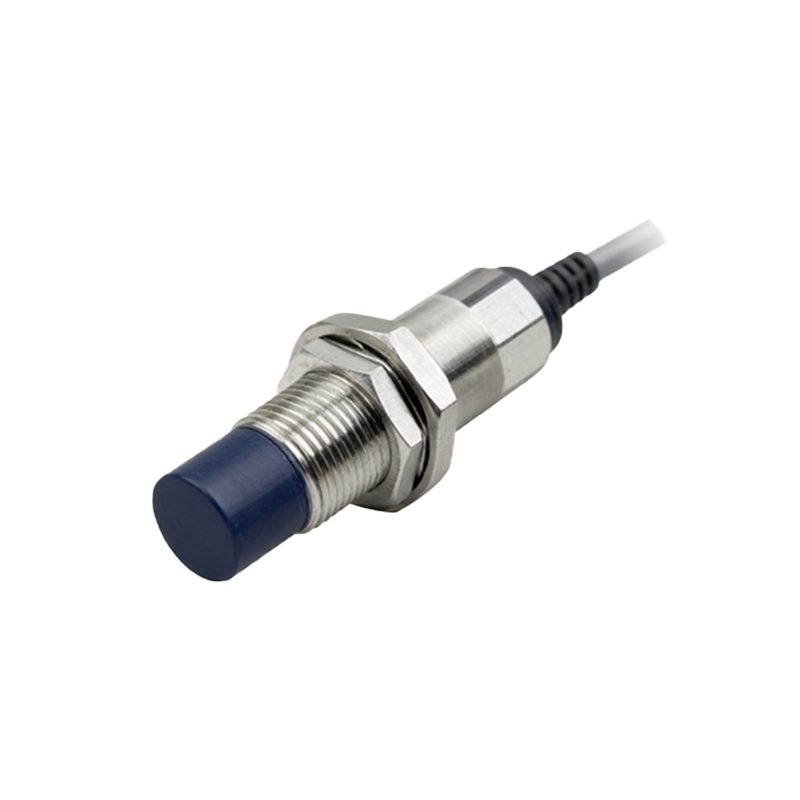
Assuming power is correct, the next focus is the sensing environment. Proximity sensors have a rated sensing distance (Sn). This distance can be significantly reduced by non-standard target materials, insufficient target size, or incorrect target approach. The sensor must detect the specified target material (e.g., mild steel for an inductive sensor). Aluminum or stainless steel targets may reduce the effective sensing distance by 30-60%. The target must also be large enough; as a rule, it should equal or exceed the sensor's face diameter. Furthermore, the target should approach the sensor head axially, not laterally, for optimal detection.
Environmental factors are a major contributor to failure. Accumulation of metallic dust, chips, or conductive coolant on the sensor face can create a false "target present" condition or dampen the sensing field. Non-conductive contaminants like oil, grease, or dirt can also interfere, especially with capacitive sensors. Strong electromagnetic interference (EMI) from nearby variable frequency drives (VFDs), welding equipment, or high-current cables can induce noise, disrupting the sensor's internal oscillator. Physical damage, such as a cracked housing or dented sensing face, often leads to internal component failure.
Internal sensor failure, while less common than external issues, does occur. The oscillator circuit, the core of an inductive proximity sensor, can fail. The output switching transistor (for solid-state outputs) can become shorted or open. For sensors with LED indicators, observe its behavior. An LED that remains lit without a target suggests a stuck output or short circuit. An LED that does not illuminate at all, despite confirmed power, indicates a complete internal failure.

A systematic diagnostic approach is recommended. First, isolate the sensor from the PLC or control system by disconnecting its output wire. Monitor the output directly with a multimeter or a simple indicator lamp. This eliminates downstream control logic as a variable. Second, perform a substitution test with a known-good sensor of identical specifications. If the replacement works, the original sensor is faulty. Third, use an oscilloscope to examine the sensor's output signal for noise or instability not visible on a multimeter.
Preventive measures are crucial for minimizing downtime. Implement regular inspection schedules to clean sensor faces and check mounting integrity. Use sensors with appropriate IP (Ingress Protection) ratings for the environment—IP67 for washdown areas, for instance. Install EMI suppression ferrites on sensor cables near noise sources and ensure proper grounding practices. Always follow the manufacturer's guidelines for installation, including maintaining minimum distances between multiple sensors to prevent mutual interference.
In conclusion, a proximity sensor's failure to actuate is rarely a random event. It is typically the result of identifiable factors related to installation, environment, or application mismatch. By methodically eliminating possibilities—starting from power supply and moving through environmental conditions to the sensor itself—engineers can swiftly restore functionality. Investing in robust sensor selection, proper installation, and proactive maintenance forms the bedrock of reliable automated system operation, ensuring continuous production flow and operational safety.