In the realm of electrical engineering and automation design, proximity sensors play a pivotal role in enabling non-contact detection of objects, facilitating efficient control and monitoring in industrial systems. As a seasoned electrical engineer, integrating these components into designs using AutoCAD—specifically tools like AutoCAD Electrical—is essential for creating precise, standardized, and functional schematics. This article delves into the application of proximity sensors within AutoCAD, covering their representation, configuration, and best practices for implementation.
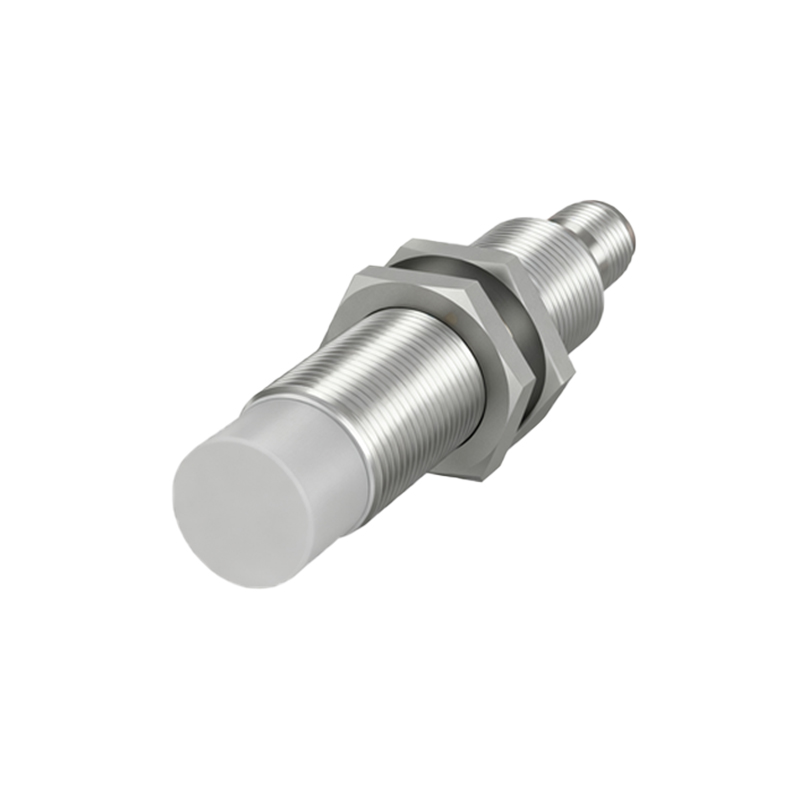
Proximity sensors are devices that detect the presence or absence of an object within a specific range without physical contact. Common types include inductive, capacitive, and photoelectric sensors, each suited to different materials and environments. In electrical design, accurately representing these sensors in schematics ensures clarity and reduces errors during installation and maintenance. AutoCAD provides a robust platform for this, offering symbol libraries and tools tailored to electrical components.
When working with proximity sensors in AutoCAD, engineers typically utilize predefined symbol libraries, such as those in AutoCAD Electrical, which include standardized IEC or ANSI symbols. These symbols—like the diamond shape for inductive sensors or specific icons for capacitive variants—help maintain consistency across drawings. To insert a proximity sensor, designers can access the library, select the appropriate symbol, and place it in the circuit diagram. It’s crucial to annotate each sensor with attributes like part numbers, ratings (e.g., voltage, sensing range), and manufacturer details, which AutoCAD allows through attribute editing and database linking. This enhances documentation and streamlines procurement.
Configuration involves setting up the sensor’s parameters within the design. In AutoCAD, this may include defining connection points, assigning wire numbers, and integrating the sensor into a broader control system, such as PLC (Programmable Logic Controller) networks. Using AutoCAD’s tools, engineers can create detailed wiring diagrams that show how proximity sensors interface with other components like relays, switches, and power supplies. For instance, an inductive proximity sensor might be connected to a digital input module, with wires routed clearly to avoid cross-overs and ensure readability. Layer management in AutoCAD aids in organizing these elements, separating power circuits from signal lines for better visual hierarchy.
Best practices for designing with proximity sensors in AutoCAD emphasize accuracy and efficiency. First, always use updated symbol libraries to reflect current industry standards, reducing misinterpretation. Second, incorporate detailed bill of materials (BOM) lists that auto-populate from the drawing, ensuring all sensor specifications are documented. Third, leverage AutoCAD’s simulation features, if available, to validate sensor placement and logic in virtual environments before physical implementation. This can prevent costly rework. Additionally, consider environmental factors—like mounting positions and interference—in the schematic notes, as these impact sensor performance in real-world applications.
For complex systems, AutoCAD’s ability to create panel layouts and 3D models is invaluable. Engineers can design enclosures that house proximity sensors, ensuring proper spacing and accessibility. This integration between schematic and layout views fosters a holistic design approach, aligning electrical plans with mechanical constraints. Collaboration is also streamlined through AutoCAD’s cloud-based features, allowing teams to review and modify designs in real-time, which is critical for large-scale projects involving multiple sensor arrays.
In summary, mastering proximity sensors in AutoCAD enhances electrical design quality by promoting precision, standardization, and interoperability. By leveraging AutoCAD’s specialized tools, engineers can produce comprehensive schematics that translate seamlessly into functional systems, driving innovation in automation and control. As technology evolves, staying adept with these software capabilities remains key to advancing in the electrical engineering field.