In the world of automation and smart devices, proximity sensors are the unsung heroes. They detect the presence or absence of objects without physical contact, enabling features from smartphone screen blanking during calls to complex industrial safety systems. However, a common and often frustrating issue arises when these sensors become excessively sensitive. This condition, where a sensor triggers from non-target stimuli or at an unintended distance, can lead to system malfunctions, user annoyance, and even safety concerns.
Understanding the root causes is the first step toward a solution. Often, excessive sensitivity stems from environmental interference. Dust, moisture, or condensation accumulating on the sensor lens can scatter or reflect the emitted signal—be it infrared light, ultrasonic waves, or electromagnetic fields—causing false readings. Similarly, ambient conditions like strong ambient light (for optical sensors), acoustic noise (for ultrasonic sensors), or electromagnetic interference from nearby motors or power lines can trick the sensor into detecting a "phantom" object.
Improper calibration or configuration during installation is another frequent culprit. Every sensor has a defined sensing range and threshold. If set too finely or incorrectly for the application, it may react to minor fluctuations it should ignore. For instance, a sensor meant to detect a large metal part on a conveyor might trigger from a small, passing tool or even the vibration of the machinery itself. In consumer electronics, a poorly calibrated proximity sensor in a phone might turn the screen off during a call even when held slightly away from the ear, disrupting the user experience.
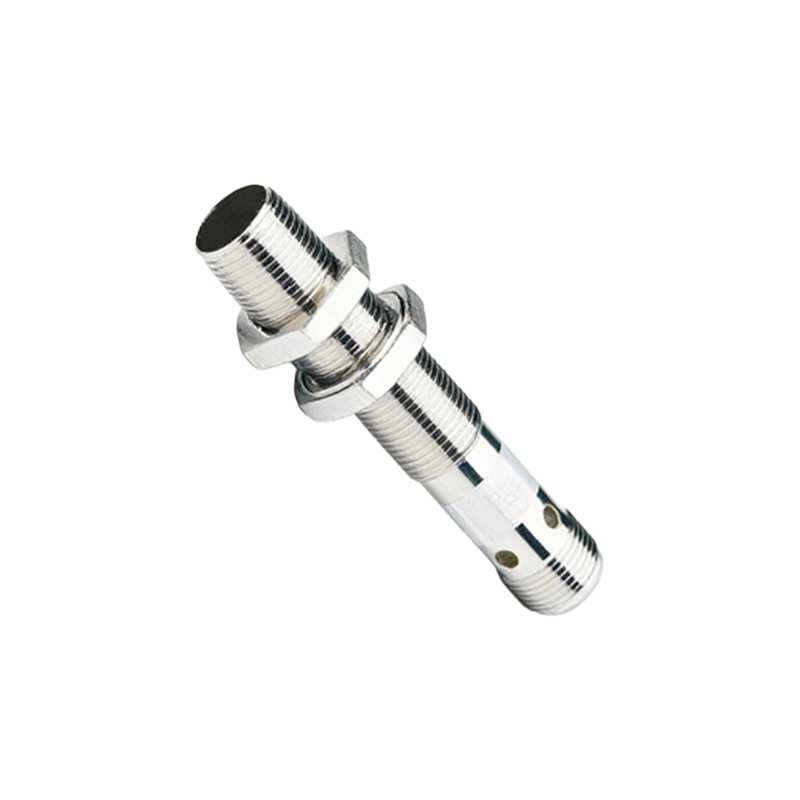
Hardware degradation over time can also lead to hypersensitivity. As components age, their electrical characteristics drift. An infrared LED's output might weaken, causing the receiver circuit to amplify signals more to compensate, inadvertently boosting noise as well. Physical damage or misalignment, even microscopic, can alter the sensor's field of view or detection pattern.
The impacts of an overly sensitive proximity sensor range from minor inconveniences to critical failures. In industrial settings, it can cause production line stoppages, leading to downtime and lost revenue. False triggers in safety light curtains could halt machinery unnecessarily, reducing operational efficiency. For consumers, it manifests as smartphones that won't wake up, automatic faucets that turn on and off erratically, or car parking sensors that beep incessantly in light rain. At worst, in medical or automotive safety applications, such erratic behavior could have serious consequences.
Addressing an oversensitive sensor requires a methodical approach. Begin with the simplest step: inspection and cleaning. Ensure the sensor face is free of dirt, grease, or obstructions. Use appropriate cleaning materials that won't damage the lens or coating.
Next, review the environment. Can the sensor be shielded from direct ambient light or loud noise? Is it possible to reroute cables away from sources of electromagnetic interference? Sometimes, relocating the sensor a few centimeters or adding a simple physical baffle can solve the problem.
Recalibration is often the most effective solution. Consult the manufacturer's manual. Many sensors have potentiometers or software-configurable parameters for adjusting sensitivity, hysteresis (the difference between activation and deactivation points), and response time. Increasing the hysteresis or slightly reducing the gain can make the sensor less "jumpy" and more reliable for the specific application. For complex systems, this may require connecting to a programming interface.
If environmental factors are severe and unavoidable, consider switching to a different sensor technology. If an inductive sensor is picking up stray metal, a capacitive sensor might be more suitable for that environment, or vice versa. Ultrasonic sensors can sometimes perform better than optical ones in dusty conditions.
Finally, if the sensor continues to malfunction after these steps, hardware failure is likely. Check for loose connections, damaged cables, or power supply issues. Replacing the aging sensor unit may be the most reliable long-term fix.
Prevention is equally important. Select the right sensor for the job from the outset, considering the operating environment, target material, and required precision. Follow installation guidelines meticulously, ensuring proper alignment and secure mounting. Implement routine maintenance schedules that include sensor inspection and testing.
In conclusion, while proximity sensors are designed to be precise, their sensitivity is a double-edged sword. An overly sensitive sensor disrupts functionality rather than enabling it. By systematically diagnosing the cause—whether environmental, configurational, or hardware-related—and applying targeted solutions like cleaning, shielding, recalibration, or replacement, stability and reliability can be restored. A well-tuned sensor operates seamlessly in the background, fulfilling its role as a dependable gateway between the physical and digital worlds.