Inductive proximity sensors are widely used in industrial automation for non-contact detection of metallic objects. As an electrical engineer with years of experience in the field, I often encounter situations where these sensors malfunction, leading to downtime in production lines. Testing an inductive proximity sensor with a multimeter is a fundamental skill that can save time and resources. This article provides a step-by-step guide on how to accurately assess the health of an inductive proximity sensor using a digital multimeter, ensuring reliable operation in industrial environments.
First, ensure safety by disconnecting the sensor from its power source. Most inductive proximity sensors operate on DC voltages (commonly 10-30V DC) or AC voltages, so verify the specifications on the sensor's label. For this test, we'll focus on a typical 3-wire DC sensor (brown wire for positive, blue for negative, and black for output). Set your multimeter to the appropriate DC voltage range if testing under power, but for resistance and continuity checks, power must be off.
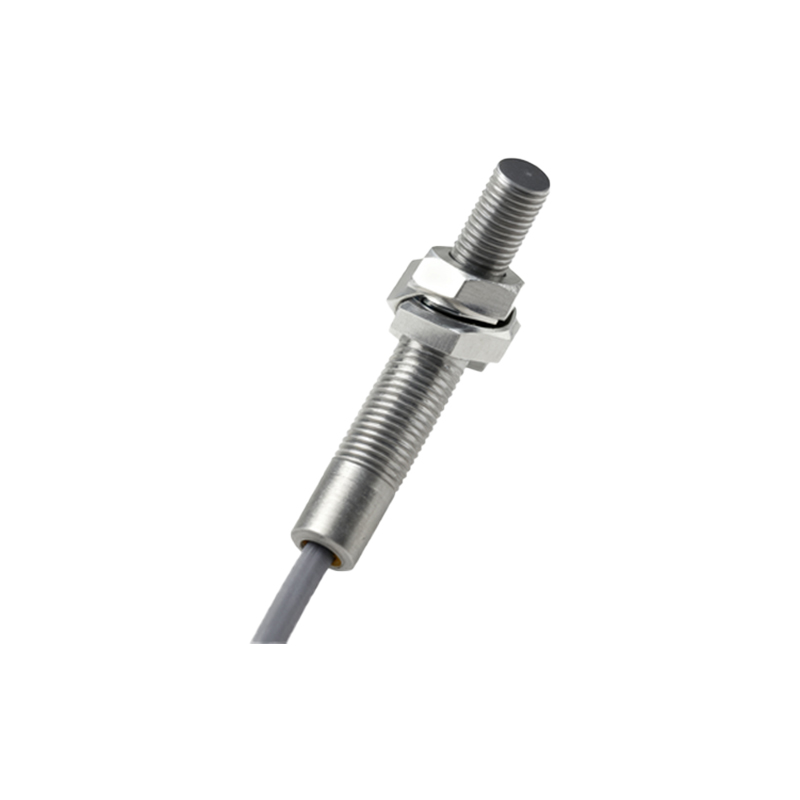
To test the sensor's coil, which is the core component for detecting metals, use the multimeter in resistance mode (ohms). Disconnect the sensor and measure the resistance between the brown and blue wires. A healthy inductive proximity sensor typically shows a resistance value between 100 ohms and 2k ohms, depending on the model. Refer to the datasheet for exact values. If the multimeter displays "OL" (open loop) or a very high resistance, the coil may be damaged, indicating a faulty sensor. Conversely, a very low resistance (near zero) suggests a short circuit.
Next, check the output circuit. For a 3-wire DC sensor, the black wire is the output. In a normally open (NO) configuration, the output should switch when a metal object is within the sensing range. With power disconnected, use the multimeter in continuity or diode test mode. Place the probes between the blue (negative) and black (output) wires. Initially, there should be no continuity (open circuit). Then, bring a metal object (e.g., a screwdriver) close to the sensor's face. If the sensor is functional, the multimeter should beep or show continuity, indicating the output has switched. Repeat this test several times to ensure consistent operation.
If the sensor is powered, you can also test the voltage output. Reconnect the sensor to its power supply and set the multimeter to DC voltage mode. Measure the voltage between the black (output) and blue (negative) wires. Without a metal target, the output voltage should be close to the supply voltage (for a PNP sensor) or near zero (for an NPN sensor). When a metal object is introduced, the voltage should change accordingly. For instance, a PNP sensor's output should drop to near zero when activated. Any deviation from expected behavior, such as no voltage change or erratic readings, suggests a problem.
Additionally, inspect the sensor for physical damage, such as cracks or corrosion, which can affect performance. Environmental factors like dust, moisture, or electromagnetic interference can also cause failures. Use the multimeter to check for insulation breakdown by measuring resistance between the wires and the sensor's metal housing; it should show high resistance (megohms).
In summary, a multimeter is an invaluable tool for diagnosing inductive proximity sensors. By performing resistance, continuity, and voltage tests, you can quickly determine if a sensor is good or bad. Regular maintenance and testing can prevent unexpected failures, enhancing the efficiency of automated systems. Always consult the manufacturer's datasheet for specific testing parameters, and prioritize safety by working on de-energized circuits whenever possible.