Proximity sensors are indispensable components in modern industrial automation, offering non-contact detection of objects within a specific range. Their primary function is to sense the presence or absence of a target object without physical contact, thereby eliminating mechanical wear and enabling high-speed, reliable operation. Understanding how to use them correctly is crucial for optimizing machine performance, ensuring safety, and improving efficiency.
The first step in using a proximity sensor is selecting the appropriate type for the application. The main categories are inductive, capacitive, ultrasonic, and photoelectric sensors. Inductive sensors are the most common in industrial settings, used to detect metallic objects. They generate an electromagnetic field and react to eddy current losses caused by metallic targets. For non-metallic materials like wood, plastic, glass, or liquids, capacitive sensors are the ideal choice. They detect changes in capacitance caused by the presence of any material that affects an electrostatic field. Ultrasonic sensors use sound waves to detect objects and measure distance, making them suitable for challenging environments with dust, smoke, or varying colors. Photoelectric sensors utilize light beams and are excellent for long-range detection and sensing small objects.
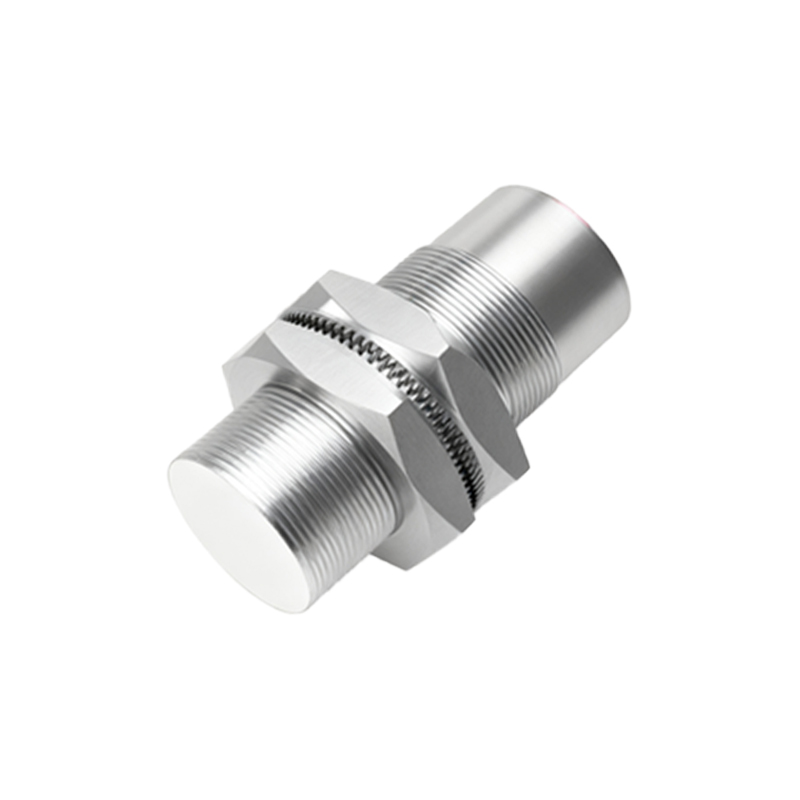
Once the correct sensor type is chosen, proper installation is paramount. Mounting considerations include the sensing distance, orientation, and environmental factors. Always refer to the manufacturer's datasheet for the sensor's nominal sensing distance (Sn). This is the rated operating distance under specified conditions. For reliable operation, it is standard practice to derate this value, typically using 70-80% of Sn to account for variables like temperature fluctuations, voltage supply tolerances, and target material variations. Ensure the sensor is mounted securely to prevent vibration-induced false triggers. For inductive sensors, maintain a clearance from surrounding metal (the "non-sensing" zone) as specified to avoid interference with the electromagnetic field. The target approach direction should be perpendicular to the sensing face for optimal performance.
Wiring the sensor correctly is the next critical phase. Most industrial proximity sensors have three wires: brown for positive DC supply voltage (typically 10-30V DC), blue for negative/common (0V), and black for the output signal. The output can be either NPN (sinking) or PNP (sourcing). An NPN sensor switches the negative (0V) line to the load, common in Asian-market designs. A PNP sensor switches the positive voltage line to the load, prevalent in European and North American systems. It is vital to match the sensor's output type with the input requirements of the connected controller (PLC, relay, etc.). Incorrect wiring can lead to sensor damage or malfunction. Always implement proper shielding and conduit for cables in electrically noisy environments to prevent electromagnetic interference (EMI) from causing erratic behavior.
Configuration and adjustment follow installation. Many modern sensors feature adjustable sensing ranges or sensitivity potentiometers. Use these to fine-tune the sensor for the specific target and to ignore background objects. For example, a capacitive sensor can be adjusted to detect a full bottle while ignoring an empty one. LED indicators on the sensor are invaluable for diagnostics; they typically show power status and output activation. Teach-in functions on some sensors allow for quick calibration by presenting the target to the sensor during a setup sequence.
Integration into the control system is the final step. The sensor's discrete signal (ON/OFF) is wired to a programmable logic controller (PLC) input module. Within the PLC program, this input is used to trigger actions such as starting a motor, counting parts, initiating a robotic sequence, or triggering a safety interlock. For analog output sensors (e.g., 4-20mA or 0-10V), the signal provides continuous data, such as precise distance or fill level, which can be used for proportional control or monitoring.
Common applications illustrate their usage. In conveyor systems, inductive sensors count metal parts or detect the position of a pallet. Capacitive sensors monitor fill levels in non-metallic tanks or detect labels on packaging. Ultrasonic sensors control the stacking height of boxes. Photoelectric sensors ensure correct positioning of components on an assembly line. In automated machinery, they provide end-of-travel detection for cylinders.
Troubleshooting is an essential skill. If a sensor fails to detect, check the power supply voltage, ensure the target is within the adjusted sensing range, verify the target material is suitable, and inspect for physical damage or contamination on the sensing face (oil, dust). Use the sensor's LED as the first diagnostic tool. Remember that environmental factors like extreme temperatures, strong magnetic fields, or chemical exposure can degrade performance, so selecting sensors with appropriate IP (Ingress Protection) and NEMA ratings for the environment is a critical part of the initial "how to use" planning process.
In summary, effectively using a proximity sensor involves a systematic approach: correct selection based on target material and environment, precise installation respecting sensing characteristics