In the realm of industrial automation, proximity sensors serve as critical components for detecting the presence or absence of objects without physical contact. Among these, the R11S series stands out for its robustness, reliability, and high sensitivity, making it a preferred choice in demanding environments such as manufacturing lines, packaging systems, and robotic assemblies. However, to ensure optimal performance and longevity, precise calibration of R11S proximity sensors is essential. This article delves into the calibration process, offering a step-by-step guide tailored for electrical engineers and maintenance professionals.
The R11S proximity sensor operates on the principle of electromagnetic induction or capacitive sensing, depending on the model. It generates an oscillating electromagnetic field, and when a target object enters this field, it causes a change in oscillation amplitude or frequency, triggering an output signal. Calibration fine-tunes the sensor's detection range, response time, and hysteresis to match specific application requirements. Without proper calibration, issues like false triggering, missed detections, or reduced sensor life can occur, leading to downtime and inefficiencies.
To begin calibration, first ensure a safe working environment by disconnecting power and following lockout-tagout (LOTO) procedures. Gather necessary tools: a multimeter, oscilloscope (optional for advanced diagnostics), calibration targets of known material and size, and the sensor's datasheet. Mount the sensor securely in its operational position, avoiding metallic interference or environmental factors like excessive moisture or temperature fluctuations that could affect readings.
Start by setting the sensing distance. Refer to the R11S datasheet for nominal ranges—typically up to 15 mm for standard models. Place the target object at the maximum required detection point. Adjust the sensor's potentiometer or use software-based configuration tools if available. For analog output models, monitor the voltage or current signal with a multimeter, aiming for a stable output within the specified range (e.g., 4-20 mA or 0-10 V). Digital models may require setting thresholds via push-button programming or communication protocols like IO-Link.
Next, calibrate for response time and hysteresis. Response time determines how quickly the sensor reacts to target changes, critical in high-speed applications. Use an oscilloscope to measure the signal delay, adjusting settings to minimize latency without causing instability. Hysteresis, the difference between switch-on and switch-off points, prevents chattering near the detection edge. Increase hysteresis slightly if the sensor toggles erratically, but avoid over-adjustment that could reduce sensitivity.
Material compensation is another key aspect. The R11S sensor's performance varies with target material (e.g., steel, aluminum, or plastic). Calibrate using actual production materials or standardized test pieces. For inductive sensors, ferrous metals yield longer ranges; for capacitive ones, material density affects detection. Record calibration values for different materials to streamline future setups.
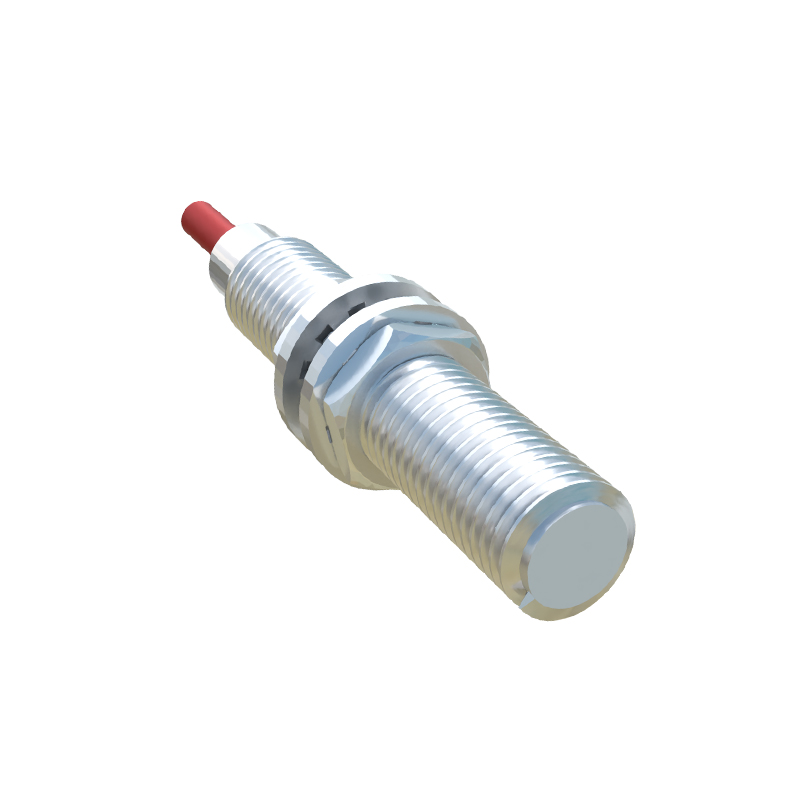
Regular verification is crucial. After initial calibration, test the sensor under real operating conditions. Perform cyclic tests with moving targets to ensure consistent output. Document all settings, including environmental factors like temperature and humidity, as these can drift over time. Implement a maintenance schedule—recalibrate every 6-12 months or as per operational demands, using statistical process control (SPC) data to predict failures.
Common pitfalls during calibration include ignoring electrical noise from nearby motors or drives, which can interfere with signals. Use shielded cables and proper grounding to mitigate this. Also, avoid over-tightening mounting hardware, as mechanical stress can alter sensor alignment. For R11S models with temperature compensation features, enable them if operating in variable thermal conditions.
In summary, meticulous calibration of R11S proximity sensors enhances system accuracy and reliability. By following these guidelines, engineers can optimize sensor performance, reduce maintenance costs, and support seamless industrial operations. Always consult the manufacturer's documentation for model-specific details, as advancements in sensor technology may introduce new calibration features.