You reach for your phone, only to find a dreaded sight: moisture. Whether it's a spilled drink, a sudden downpour, or an accidental drop in the sink, water is the nemesis of modern smartphones. While many focus on the screen or speakers, a critical and often overlooked component is the laser autofocus sensor. This tiny, powerful tool is what allows your phone's camera to focus with incredible speed and accuracy, especially in low light. When water invades this sensor, it can lead to blurry photos, failed focus, and frustrating camera performance. Understanding what happens and knowing the correct steps to take can mean the difference between a quick recovery and permanent damage.
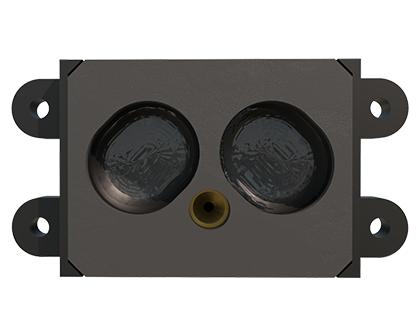
The laser sensor, typically located near the camera lens, works by emitting an invisible infrared laser beam and measuring the time it takes to reflect off a subject. This data calculates distance for instant autofocus. Water, however, scatters and absorbs this light. A water droplet on or inside the sensor module acts like a prism, distorting the laser's path. The phone's software receives confusing or no data, resulting in the camera hunting for focus or giving up entirely. The immediate symptom is a camera that refuses to focus, producing consistently blurry images regardless of tapping on the screen. You might also see error messages related to the camera.
The moment you suspect water has contacted your phone's laser sensor, time is of the essence. Contrary to popular myth, do not use a hairdryer or place the phone in an oven. Intense, directed heat can melt internal adhesives, warp components, and permanently damage the sensor and other parts. The classic "bag of rice" method is also largely ineffective for modern devices. Rice dust can get into ports, and rice primarily absorbs ambient moisture, not water trapped deep inside a sealed component.
Instead, follow these steps. First, immediately power off the device. This prevents any potential short circuits if water has breached seals. Do not attempt to charge the phone. Gently wipe the exterior, especially the camera area, with a soft, lint-free, slightly absorbent cloth. Remove any case to allow for better evaporation. The most effective method is to place the phone in a dry, warm, and well-ventilated area. A desk in a room with good airflow is ideal. You can use a small fan set on low to circulate air around the device. Silica gel packets, the desiccant found in new shoes or electronics boxes, are far superior to rice. Place the phone in a sealed container with a handful of these packets for 24-48 hours. They actively pull moisture from the air and, by extension, from the device.
After a thorough drying period, power the phone back on. Test the camera app. Try focusing on objects at different distances. If the laser sensor was only superficially affected, it may begin working normally as the last traces of moisture evaporate. However, if blurry photos persist, the water may have left behind mineral deposits or caused corrosion on the sensor's delicate electrical contacts. At this point, professional repair is the safest option. A technician can open the device, properly clean the sensor module with appropriate solvents, and inspect for other water damage. Attempting to open a modern, waterproof-sealed phone yourself often causes more harm and may void any remaining warranty.
Prevention is always better than cure. Invest in a high-quality case that provides a raised lip around the camera module. This offers crucial protection against direct splashes and impacts. Be mindful of your phone's environment. Keep it away from the edges of tables near drinks, and avoid using it in steamy bathrooms or during heavy exercise where excessive sweat is a factor. While many phones boast water resistance ratings like IP67 or IP68, these are tested under controlled laboratory conditions with fresh water. Real-world exposure to chlorinated pool water, saltwater, or soapy water can degrade seals faster and is not covered by warranties. Think of water resistance as a safety net for accidents, not a permission slip for submersion.
A malfunctioning laser autofocus sensor doesn't have to spell the end of your phone's camera. By acting quickly, avoiding harmful DIY fixes, and employing proper drying techniques, you can often restore its functionality. For persistent issues, seeking professional help protects your investment. With greater awareness and careful handling, you can keep your phone's advanced camera focusing sharply, capturing clear memories for years to come.